My team and I compiled, reorganized, and formatted hardware and software installation guides for a hypothetical software company.
Skills
information architecture
single-sourcing
team secretary
Tools
MadCap Central
MadCap Flare
Microsoft Teams
Trello
Time
4 weeks
Introduction
My team was subcontracted to create a proof-of-concept using MadCap software to demonstrate the value of single sourcing to the Tech Company, a hypothetical company that manufactures technological products. Their latest product, the Zen4 server, came with hardware and software installation guides.
These guides were lacking in several areas. They were only available as pdfs. Each section within the chapters were stored on different files with inconsistent formatting. Single sourcing on MadCap Flare, a common CMS, or Content Management System, was the best option for creating consistent formatting and easy navigation of the installation guides.
In my team’s proof-of-concept, we reformatted and exported the first chapter and one appendix of each guide.
Statement of Collaboration
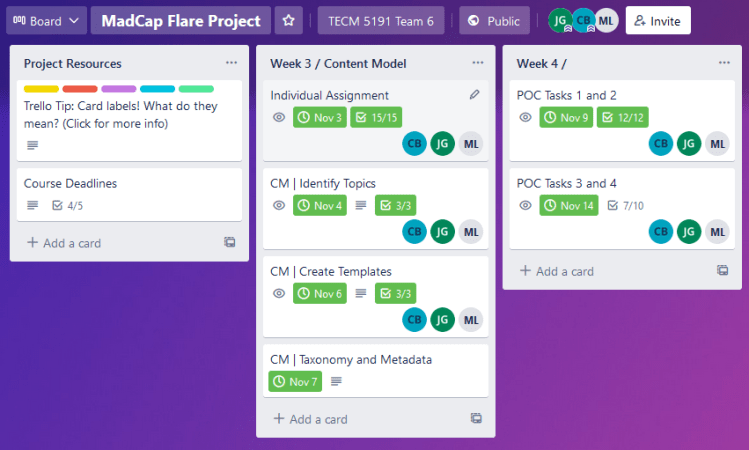
My team consisted of Carissa Baker, Michelle Long, and myself. Carissa was the team leader who checked the team’s work and led weekly meetings. Michelle requested necessary resources on behalf of the team. I managed the team’s to-do list on Trello, took minutes at team meetings, and helped others in their roles as needed. We created, formatted, and exported 10 files each. We all helped generate the final pdf and troubleshot technological issues as needed. We tracked all information and deadlines on the Trello board shown below:
Process
The team downloaded the files of the installation guide to a hypothetical server from Tech Company. We identified which file contained which topic type, according to this chart:
| concept topics | information to help users understand an idea or feature |
| task topics | instructions for completing a procedure |
| reference topics | useful information for users to view while completing a task |
Each topic type sequences information differently. We created templates in MadCap Flare following the proper sequence for each topic type. After that, we input information from the installation guide into the proper templates according to topic types.
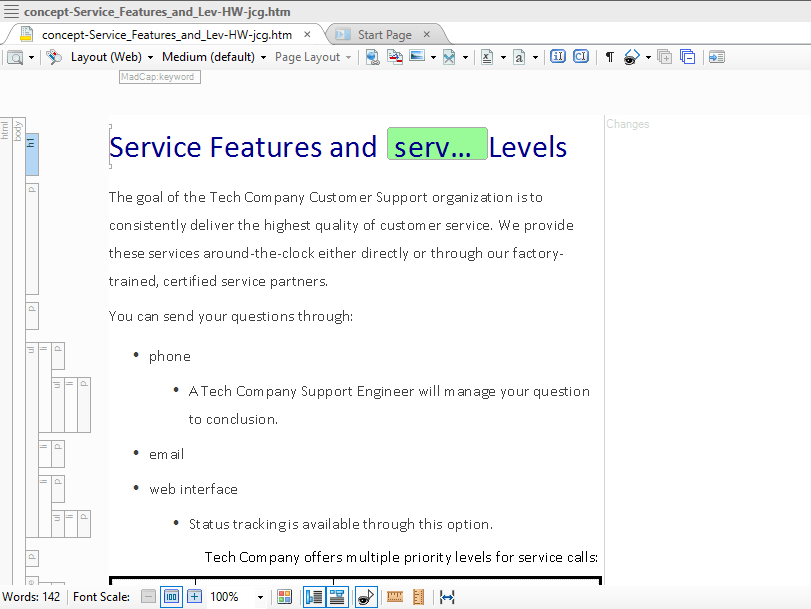
In the images below, I restructured a concept topic file.
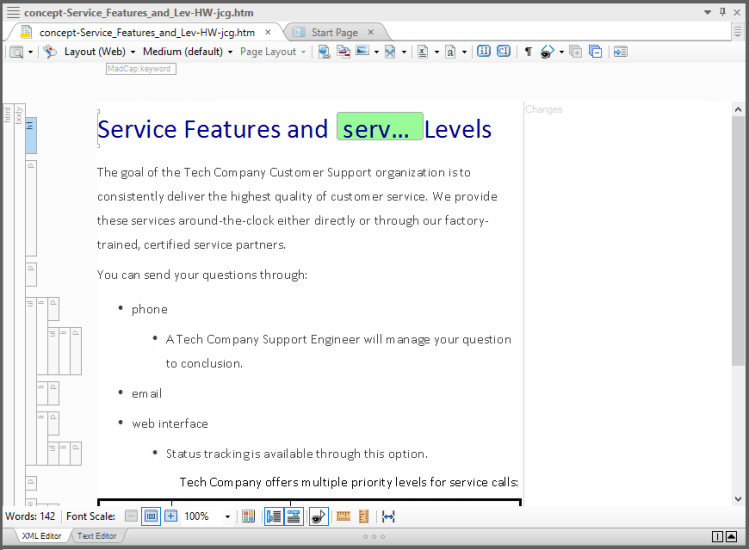
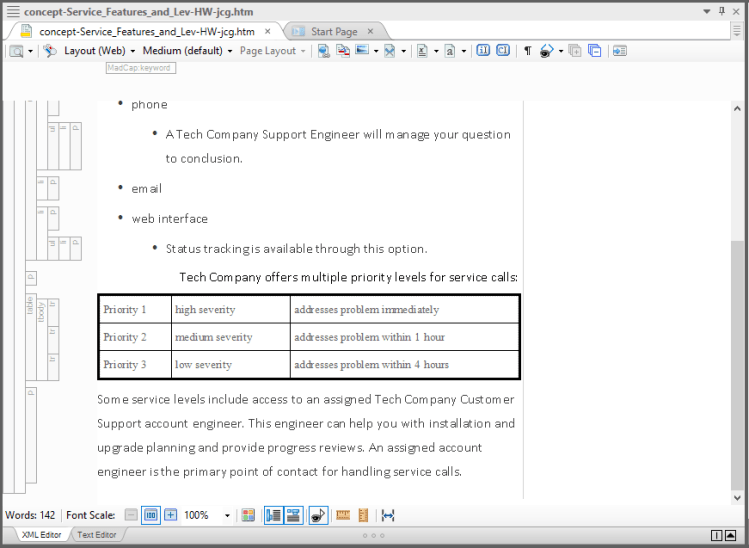
After inputting the information, we accessed MadCap Flare’s stylesheet to set formatting preferences such as text size and alignment. Any changes made in the stylesheet will affect the entire project. I made the text for Heading 1, or h1, blue in the html version and black in the pdf, as shown in the image below.
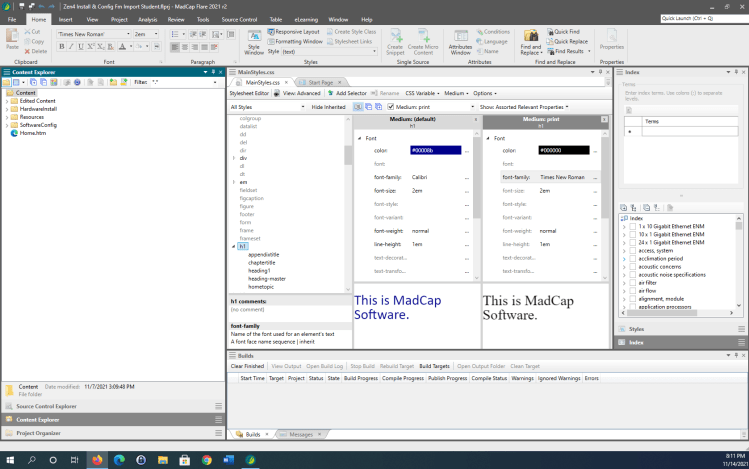
Each team member added keywords to their files, as shown below:

Once all the material was reformatted, we exported it for the entire team to see on MadCap Central. Then we put all 30 documents in order to generate the table of contents. After a few edits, we submitted the uniformly formatted installation guides.
Key Takeaways
🔑 Teamwork
This was my first experience on a professional team. When deciding my role as a team member, I used my organization skills to take notes of team meetings and update my team’s progress. This kept the team focused and on track.
🔑 Experience with MadCap software and Trello
I gained valuable experience with software that is widely used in the field. I also saw how single sourcing can greatly benefit a company by keeping its content organized. After this project, I trained with a nonprofit organization. I was asked to write discussion questions based on the organization’s curriculum. I went beyond my duties by identifying areas in which the material would benefit from single sourcing.
 Jennifer Goon