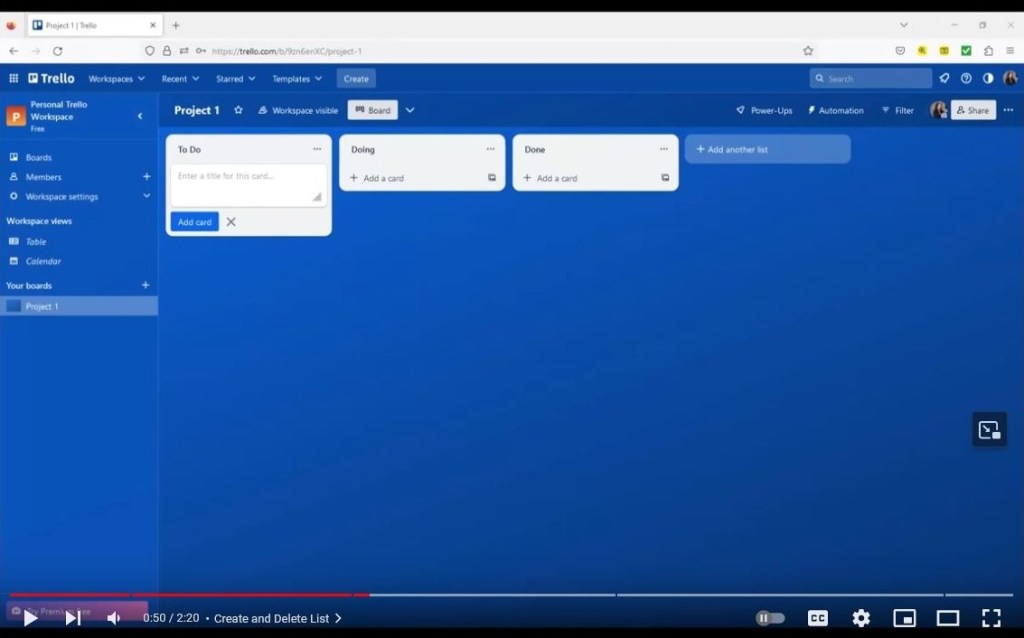
This video features screen capture technology to introduce new users to Trello, a visual task management tool.
Skills
audio recording
screen capture
script writing
storyboarding
video editing
Tools
Camtasia
Trello
virtual machine
Time
4 weeks
Project Overview
I made a short, quick start video for Trello, a popular project management system, using Camtasia to record and edit footage. For more information about Trello, click here.
The video follows the three main principles of minimalism:
- Begin teaching a task immediately
- Spend more time on active learning and practice than passive learning
- Lower the risk for error and give solutions for error recovery
Process
I decided to use the run time of the video to teach new users how to create and transfer movable lists of tasks on Trello. Once I knew the objective of the video, I used a script and storyboard to plan each shot. This helped me stay on track during the recording process. By streaming a virtual machine, I accessed a free version of Camtasia offered by the university. I uploaded every newly saved draft to the university’s OneDrive (cloud). When I was ready to edit the draft, I downloaded it from the OneDrive to the virtual machine. I used Camtasia’s screencast function to record the footage for my video.
I used Voice Recorder on my desktop to record the audio. Once I had saved those audio files, I imported them to Camtasia and placed them on top of the video footage. I then synchronized the video and audio.
I added post-production effects to make the instructions clearer, such as the highlight cursor tool and closed captioning.
Revision
In summer of 2023, I remade the video. I rewrote sections of the script to reflect changes to Trello’s interface. All visual and audio footage in this video was new, and it was recorded using Camtasia, which I had bought and stored on my desktop. The post-production effects were also slightly different: fade in and out of video and audio, highlighting portions of the screen, and creating chapters or sections in the uploaded video to Youtube.
Key Takeaways
🔑 Quality video using up-to-date technology
I provided Trello users with a simple tutorial that can expedite their learning and help them organize individual and team projects. By closely adhering to my storyboard, I saved the project time, money, and complexity.
This was my first exposure to Camtasia and screen capture. I had worked with Final Cut Pro, a similar video editing tool, a few years earlier, so I was able to transfer many skills to the new software. I expect that proficiency in both tools will be valuable in my career.
 Jennifer Goon